
Introducing Normain
An introduction to the platform, what makes it different, and how it helps you scale your expertise.
What is Normain
Normain is one trusted place for capturing your expertise, and turning it into AI workflows ready to be reused and scaled across your team. It is trusted by teams working in high-stakes fields, in audit and assurance, GRC, and M&A, where accuracy, transparency, and speed all have to hold at once.
In practice, you define the analysis once, around your own logic and way of working, you add your documents, and get structured, traceable insights back in minutes. When one analysis is not enough, you chain several analysis steps into a single workflow that ends in a finished deliverable, always with the citations carried through.
Normain is designed to scale your expertise. You save and reuse your best setups, so one expert’s judgement becomes something the whole team can draw on.
All of this rests on a fundamentally different approach to AI, one built specifically for analysing documents rather than for conversation. We call it Extractional AI.
What is Extractional AI
Normain is pioneering Extractional AI, a new category of AI designed to extract insights from large volumes of complex documents. Where conversational AI is built to generate fluent text and can hallucinate, miss nuance, or produce answers you cannot trace, Extractional AI grounds every answer in your own documents, gives you the same answer every time, and ties each one to a source you can point to.
This combination of reliability and traceability is exactly what high-stakes work in audit and assurance, governance, risk and compliance, and M&A depends on. It cuts up to 80% of the time spent on manual document work while improving the quality of the outcome.
What powers Normain
Normain’s Extractional AI is made possible thanks to three core building principles.
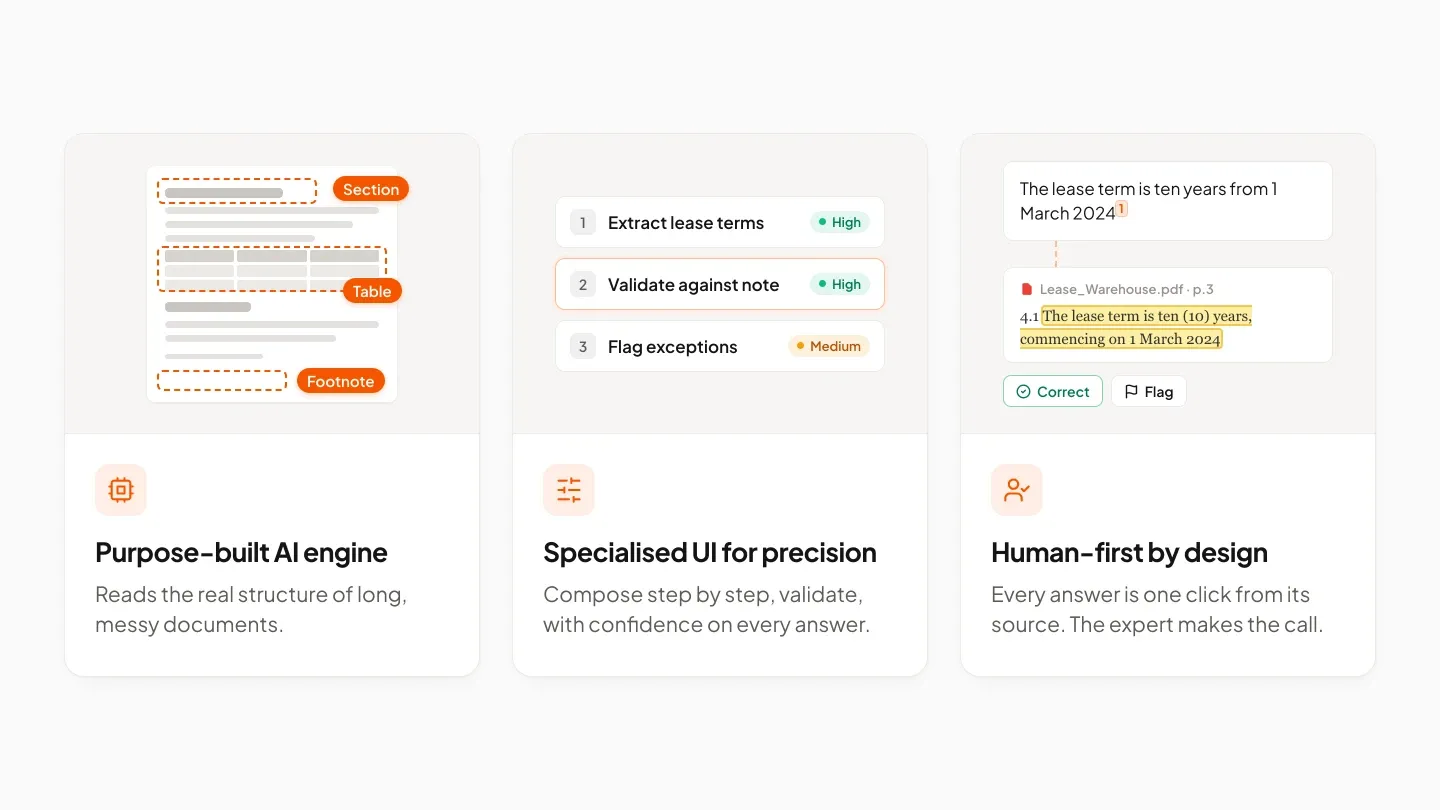
- Purpose-built AI engine - while general AI struggles with long, messy files, Normain’s engine was built specifically for them. It reads the real structure and layout of a document, so even a thousand-page filing turns into something you can search, quote, and cite with confidence.
- Specialised UI for precision - Normain is not a chat box. The whole interface is built around the idea that precise work requires control and a way to validate it: you compose an analysis step by step instead of in one-off prompts, review the results and edits directly inside your own Word files, export finished output to Excel or Word, and see a confidence signal on every answer that tells you where to look. The aim is always the exactly right answer, not just a plausible one.
- Human-first by design - Normain takes on the heavy lifting but leaves the call to you. Every answer is one click from its source, so you can check it before you sign off, because the whole point is to stretch one expert’s judgement across the team, not to replace it.
Why teams choose Normain
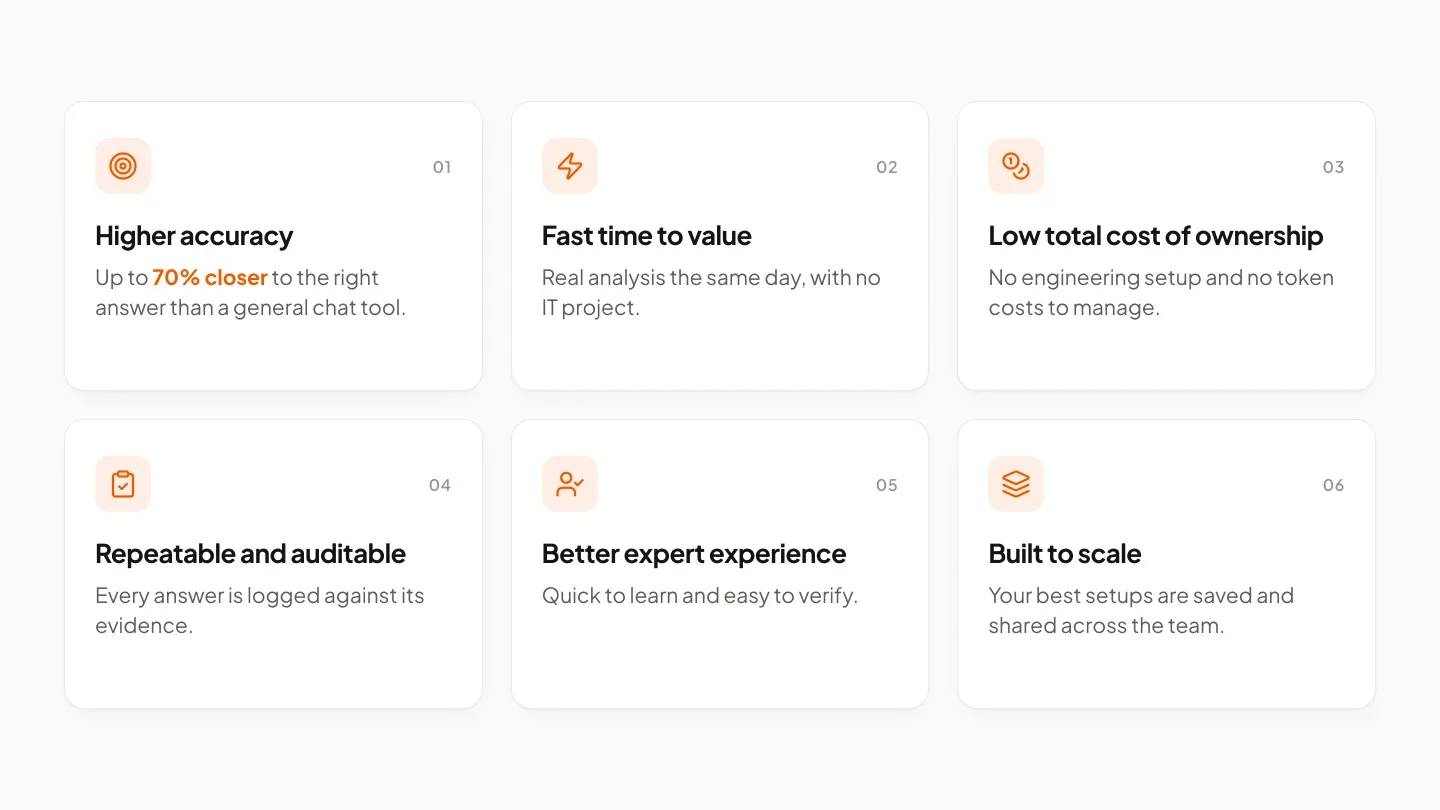
- Higher accuracy - on real engagements, Normain lands up to 70% closer to the right answer than a general chat tool, and it only gets sharper as your team corrects and refines it.
- Fast time to value - nothing has to be deployed or integrated first. A team can open Normain and be producing real analysis the same day, with no IT involved.
- Low total cost of ownership - no engineering setup or token costs, so cost stays flat and predictable.
- Repeatable and auditable - every answer is logged against its evidence, so the work holds up whether it is a colleague, a client, or a regulator doing the checking.
- Better expert experience - it is quick to learn, far easier for experts to verify than the tools they are used to, and backed by a customer success team when questions come up.
- Built to scale - the best setups can be saved and shared, so your best expert’s proven process quietly becomes the whole team’s standard.
Normain in three simple steps
At its simplest, an analysis in Normain comes down to the three steps below.
- Add your knowledge - upload Word, Excel, PDF, PowerPoint, images, or web links, or connect SharePoint, Google Drive, and Box.
- Define the questions once - tell Normain what to extract and what the answer should look like, in your own format, logic, and scoring.
- Extract insights - get structured, sourced answers in seconds. Each one links back to the exact excerpt it came from, with Normain’s reasoning, a confidence score, and tools to validate it.
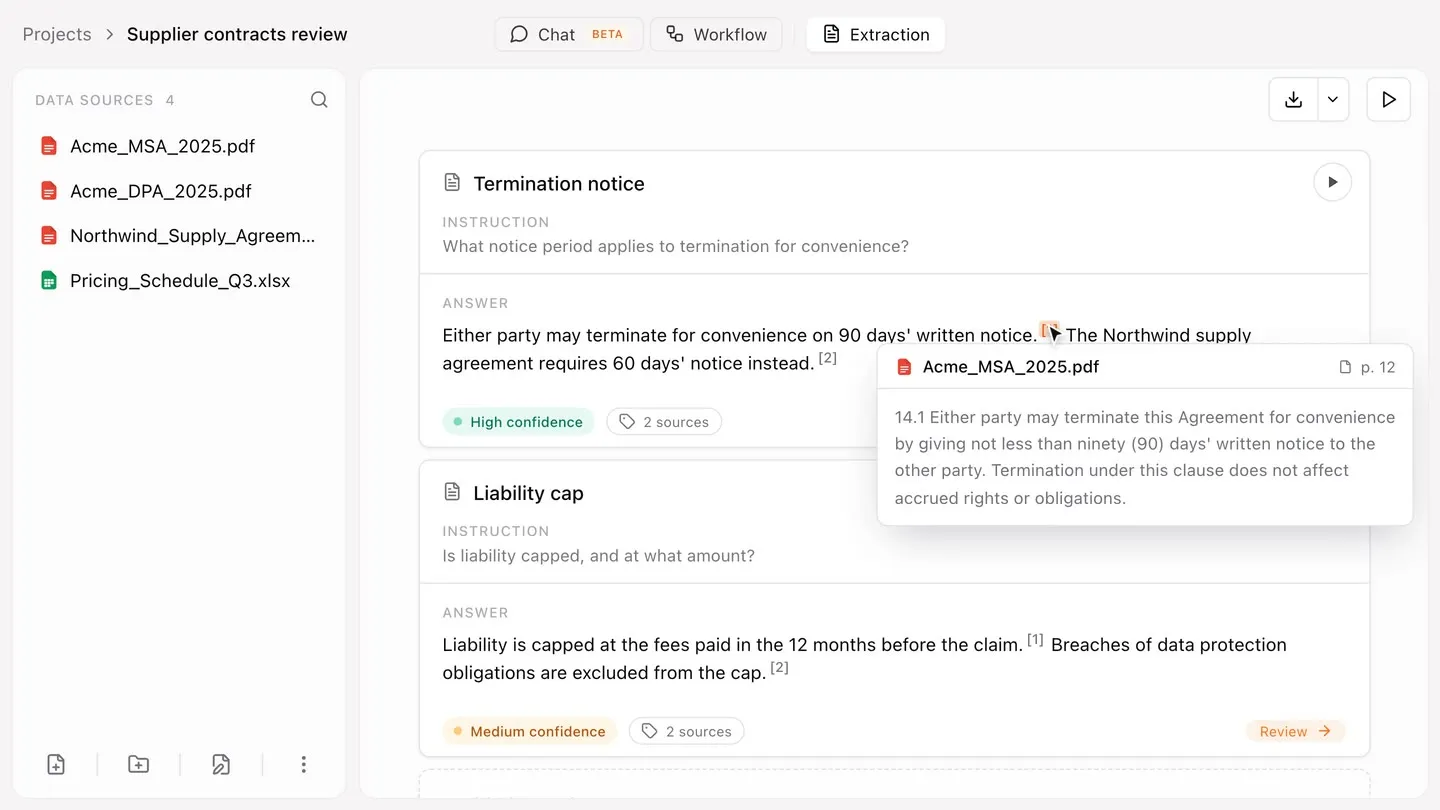
These three steps make up one simple analysis in Normain, but as the chapters ahead show, the product goes much further. Read on to learn how Normain supports different types of setups for different types of analyses, and how several analyses can chain together into a Notebook: multi-step workflows that end in a finished deliverable, running end to end.
Ready to try it? Head to Key concepts to get familiar with how Normain fits together, then to Quick start for a fast walkthrough of running your first analysis.
Normain API
Normain is also available as an API, so you can ask questions about your documents and get cited answers back, directly from your own systems: upload sources, ask questions, and receive answers with their citations. This lets you embed Normain’s grounded Extraction into your existing tools and pipelines. See API for more.
API access is available to Enterprise customers on request.
Normain MCP
Normain also connects to AI assistants through MCP, the Model Context Protocol.
Through it, an assistant such as Claude or Codex can work with Normain directly: tell it what you need, and it sets up your projects and Notebooks for you, laying out all the steps and bringing in your sources, all within your own team access. It can also pick up a project you are already working on, reshape the steps, and feed in new files.
Normain is still where your work lives, one trusted place where your expertise is captured and reused. The assistant is just a way to set it up. At any point, you can open Normain to see your instructions, your results and the citations behind every answer in one view, and keep building from there.
To connect your AI assistant, go to Settings in Normain, then Connected apps. You can disconnect it at any time.